With the latest CommuniBee release, we made some significant improvements to news, surveys, and content display. Below, you can find details on what’s new and improved.
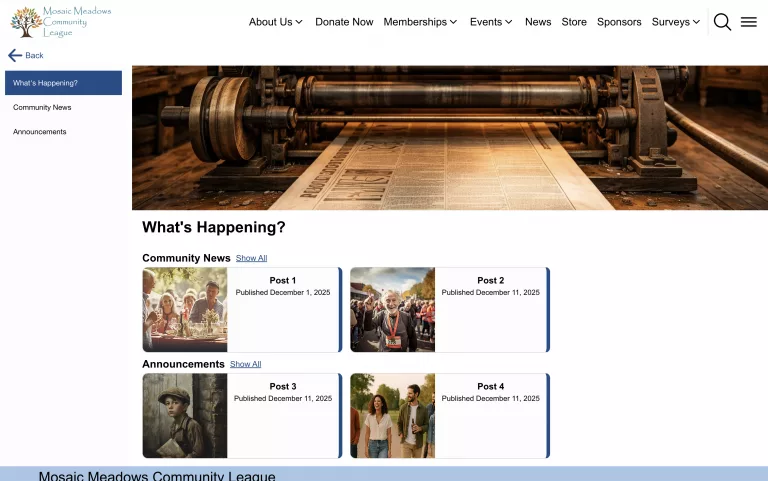
Centralized News Page
First off, admins can now create a ‘News’ home page, providing a dedicated hub for all your news content (including announcements, blogs, community updates, etc.). Also included in this release is the ability to categorize your news items, allowing your users to easily find the content that is most relevant to them.
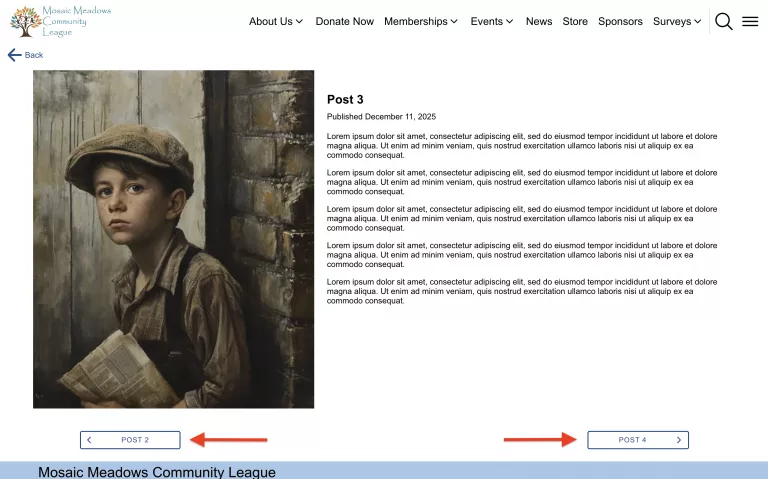
Additionally, we have included the ability for your users to easily cycle between news items. This means that when a user is viewing an item, there will be a prompt for them to either go back to the previous item or continue to the next item. This enhancement will ensure a more seamless experience, keeping users engaged with your content.
New Survey Feedback
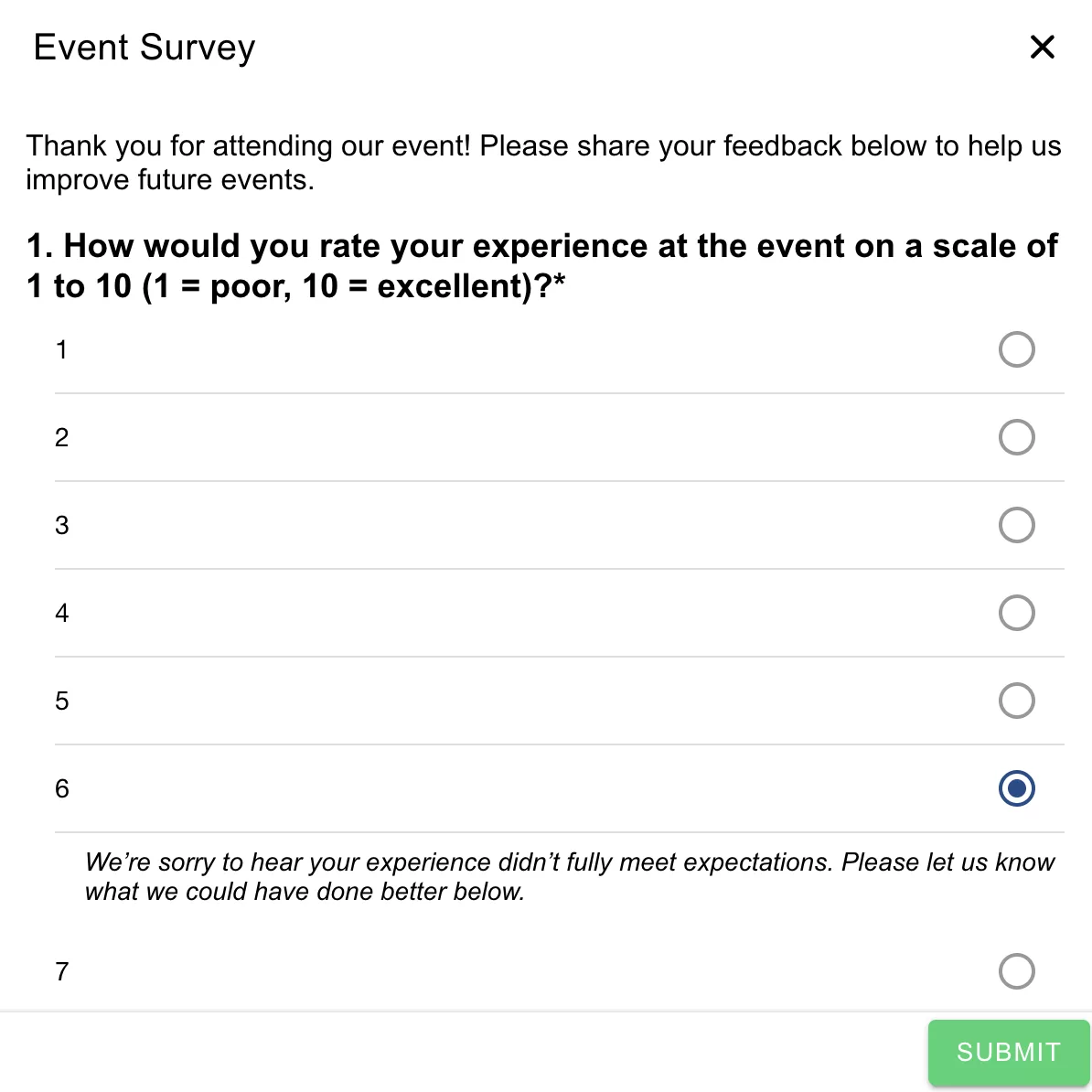
You can now provide users with instant feedback based on their survey responses. This means that when a user answers a survey question, you can choose to display feedback based on the answer they selected. For example, if you sent out a post-event feedback survey, one of the questions could be “Please rate the event from 1-10 (1 being very poor and 10 being excellent).” If a user selects 1, you can display a message prompting them to explain why. If a user selects 10, you could display a message thanking them for their participation.
Improved Events View
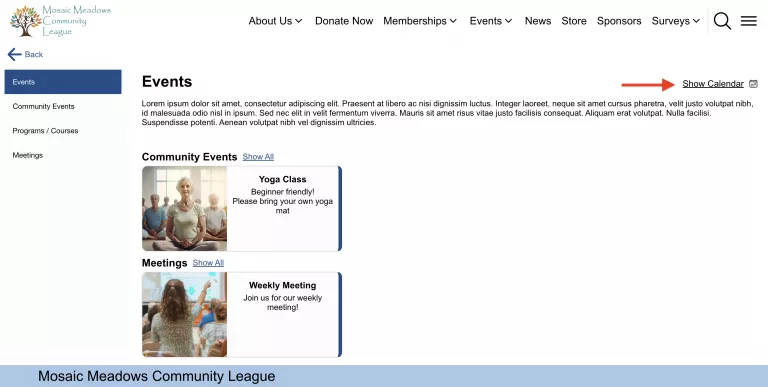
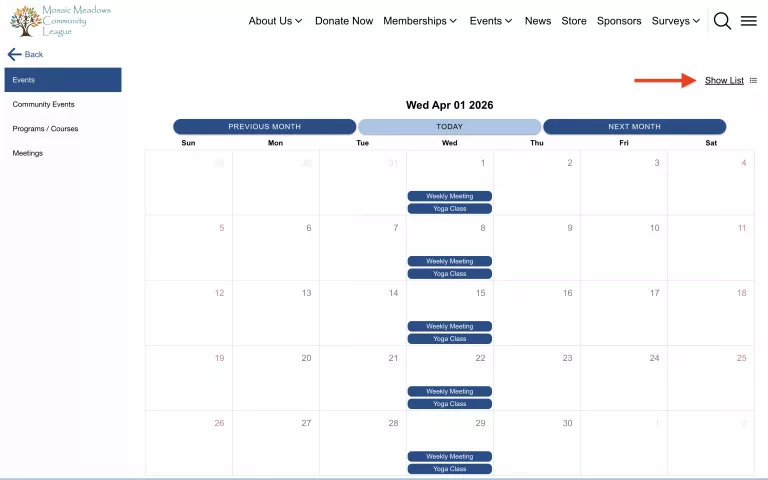
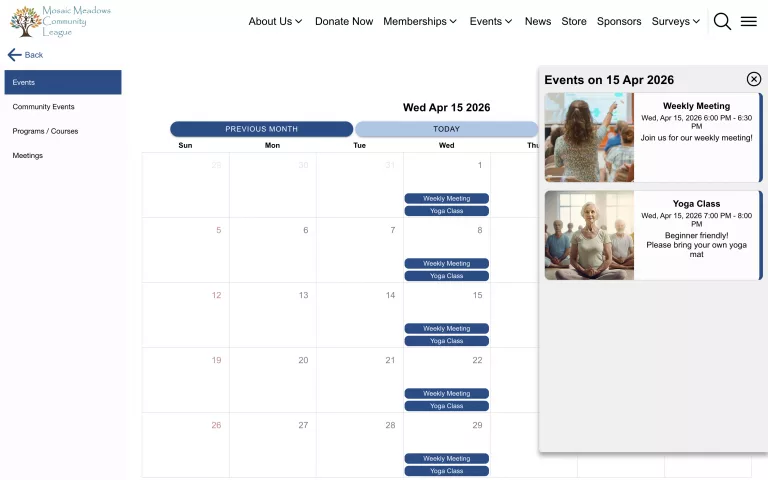
Continuing with the improvements to your users’ experience, users can now easily view your community’s events in either a list or calendar view with the click of a button. Additionally, while on the calendar, users can simply select a date to expand the events taking place and preview important details.
New Reordering Flexibility
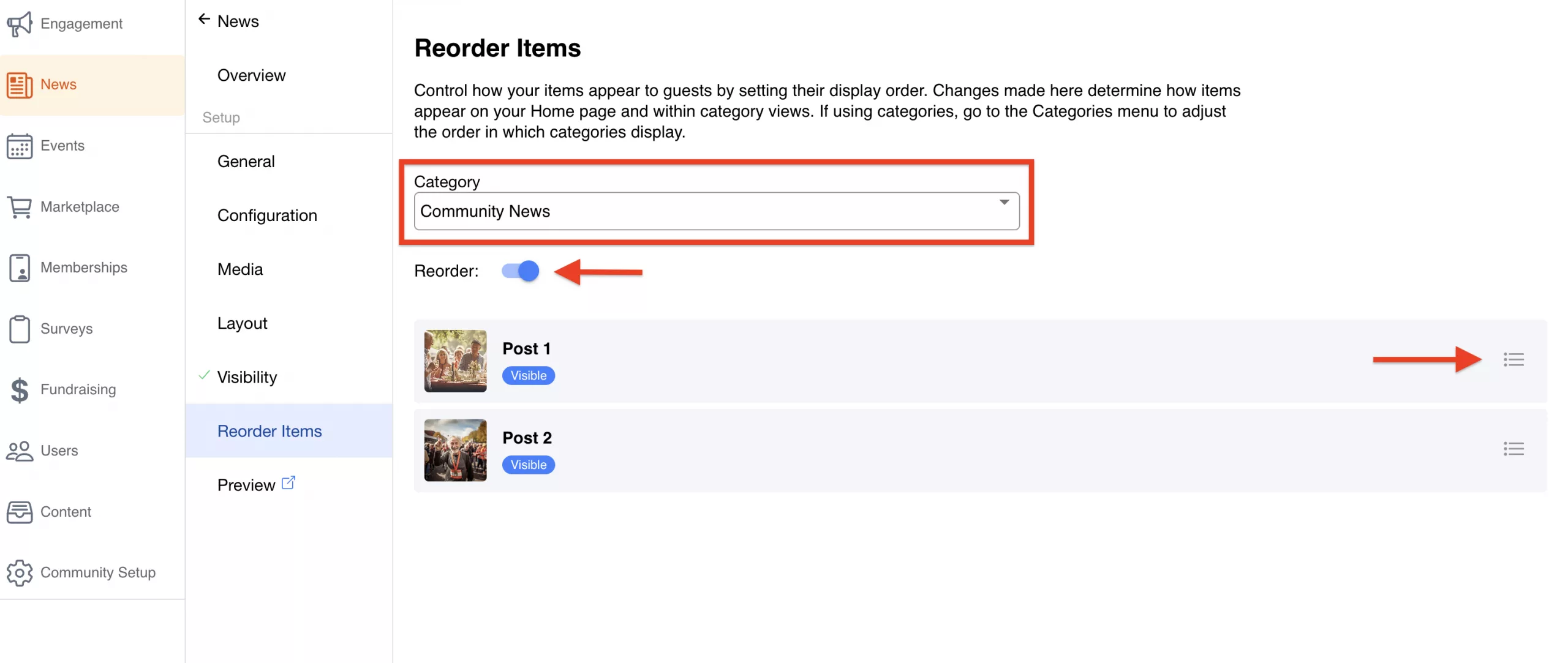
Lastly, we have added the ability to reorder items throughout your community. Whether it’s events, news, memberships, or marketplace products, you now have the flexibility to control how these items appear to your users. We’ve also made this extremely simple for admins. For example, if you would like to reorder your news items, simply navigate to News Home > Reorder Items > toggle on Reorder > click and drag.
Wrapping Up
We are extremely happy to bring these improvements to CommuniBee as we know how important it is to have flexibility not only when creating content, but also in how that content is displayed to your users. We believe these changes will help administrators create and manage content with confidence, while also giving users a more seamless viewing experience.
If you would like to learn more about these changes, please consider sending us an email or booking a meeting by clicking the button down below.
Want to learn more? Schedule a demo with our team!